What Should Happen in the First 10 Minutes After Someone Submits Your Website Form?
A website form submission should trigger more than an email. See what should happen in the first 10 minutes—from confirmation and ownership to a meaningful response and clear next action.
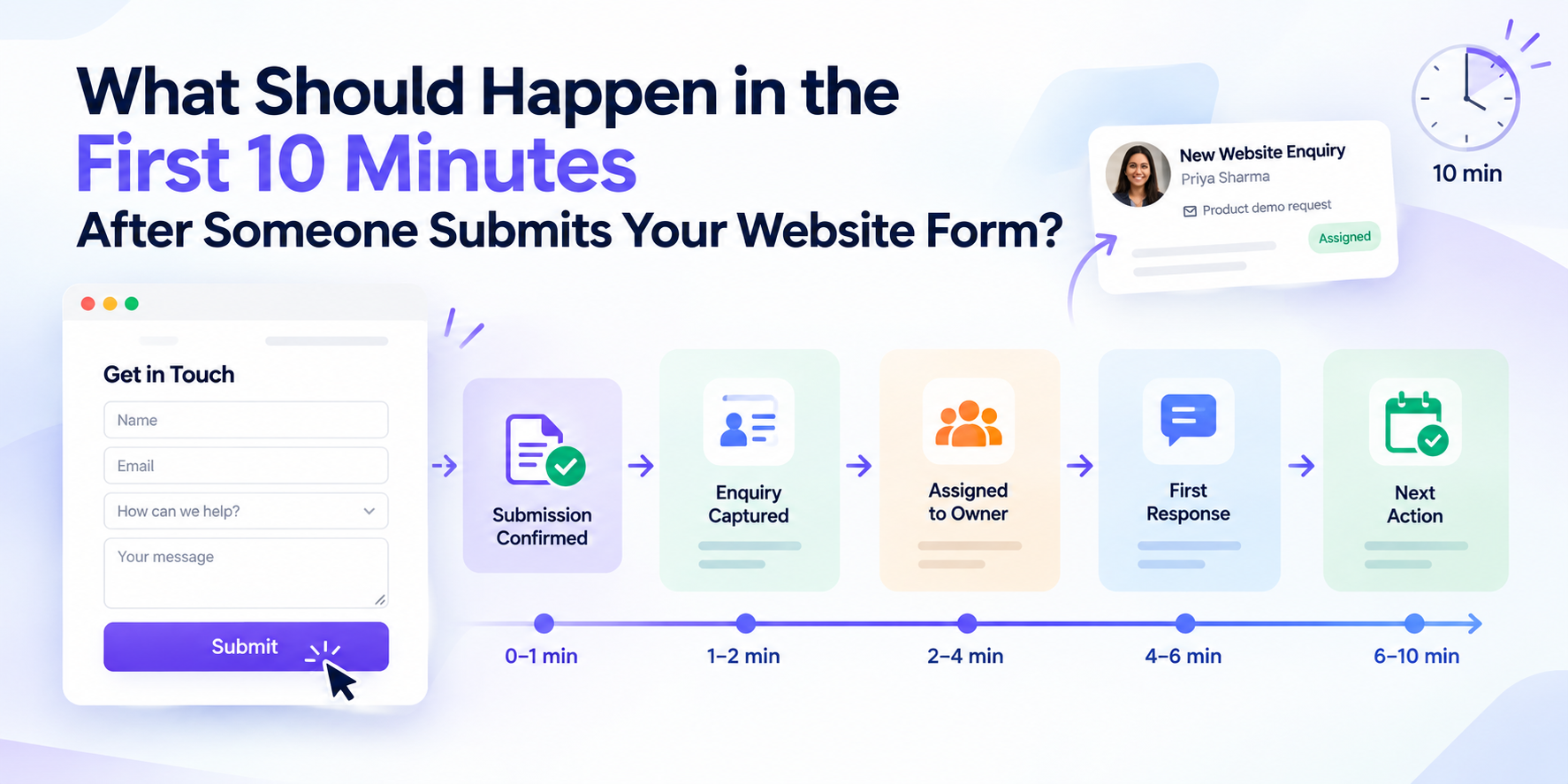
Someone visits your website, reads about your business, fills in a contact form and clicks Submit.
What happens next?
For many businesses, the answer is:
“Someone gets an email.”
That is not really a lead follow-up process.
A better process makes sure the enquiry is successfully captured, the visitor knows it was received, the right person takes ownership, the original context is preserved, and a clear next action begins.
The following is an illustrative 10-minute workflow for a high-intent enquiry received during staffed business hours. These time windows are suggested internal targets, not an industry standard or guaranteed response time. Businesses should adjust them to their enquiry types, staffing and operating hours.
The important point is this:
A website enquiry should move from submission to ownership and follow-up through a defined process—not sit in an inbox waiting for someone to notice it.
What Should Happen in the First 10 Minutes?
A practical website-enquiry workflow can look like this:
Time | What should happen |
|---|---|
0–1 minute | Confirm the form was successfully submitted |
1–2 minutes | Capture the enquiry and its source |
2–3 minutes | Identify what type of enquiry it is |
3–4 minutes | Assign a clear owner |
4–6 minutes | Review the customer's context |
6–10 minutes | Make a meaningful first response and define the next action |
The timing and order of individual steps may vary, but successful capture, clear ownership, relevant context and follow-up should remain part of the process.
The sequence should not.
Capture → Understand → Assign → Respond → Follow up
Minute 0–1: Confirm That the Form Actually Worked
The first question should not be:
“Did we get an email?”
It should be:
“Was the visitor's submission successfully recorded?”
After someone clicks Submit, they should immediately see a clear confirmation.
For example:
Thanks. We've received your enquiry and will be in touch.
That sounds basic, but it removes an important point of uncertainty.
The visitor should not be wondering:
“Did that actually go through?”
Your business should also measure successful submissions.
Google Analytics 4 can track form interactions using form_start and form_submit events when supported and correctly configured. These events can help teams understand form activity, but businesses should also verify successful submissions through their website or backend records. Where necessary, a separate event can measure a confirmed lead-form submission.
Google Analytics: Enhanced measurement events
This gives you a more useful view than simply counting visits to a Contact Us page.
The journey becomes:
Page visit → Form start → Form submission → Business follow-up
And that last step matters just as much as the others.
Minute 1–2: Preserve the Context of the Enquiry
A useful website enquiry contains more than a name and email address.
The employee handling it should be able to understand what the person was interested in without reconstructing the journey manually.
Depending on your business and form, useful information may include:
Name and contact details
Date and time of submission
Page or form submitted
Product or service of interest
Enquiry type
Customer's message or requirement
Relevant source or campaign information, when available
The goal is not to create the longest possible form.
It is to preserve enough information to make the next decision.
For example, knowing that someone submitted a general contact form is useful.
Knowing they submitted it from your CRM product page after asking for a demo for a 30-person sales team gives the responder much more context.
This is also why website operations should not be treated only as publishing pages. As a website grows, forms, content, ownership and what happens after submission all become part of the operational process.
For further reading, see TrueValue Platform's guide on managing a growing website:
Your Website Keeps Growing. Does Your Content Process Keep Up?
Minute 2–3: Identify What Kind of Enquiry It Is
Not every website submission deserves the same response.
Consider these two messages:
Enquiry A:“Please send me some information.”
Enquiry B:“We have three offices and 45 employees. We want to improve how customer enquiries are managed. Can somebody show us the system this week?”
Both are enquiries.
But they do not carry the same context or urgency.
A simple classification system might include:
Sales enquiry
Demo request
Existing customer question
Support request
Partnership enquiry
Recruitment enquiry
General enquiry
The purpose is not to build an unnecessarily complicated scoring system.
The purpose is to answer:
What is this person asking for, and who should deal with it?
Once that is clear, routing becomes much easier.
Minute 3–4: Give the Enquiry One Clear Owner
This is one of the most important parts of the process.
A lead should not simply belong to:
“Sales.”
There should be a clear person, queue or defined process responsible for moving it forward.
Salesforce's current documentation, for example, describes lead-assignment rules that route website-generated leads to users or queues based on criteria such as territory, product interest or geography.
Salesforce: Guidelines for Assignment Rules
Your own process may be much simpler.
Enquiry type | Possible owner |
|---|---|
Demo request | Sales |
Product enquiry | Relevant sales representative |
Existing customer question | Support or account owner |
Partnership enquiry | Business development |
Recruitment enquiry | Recruitment team |
General contact request | Administration or operations |
The exact routing is less important than the principle:
An enquiry without clear ownership can quickly become an enquiry that nobody follows up.
This problem becomes even harder when customer conversations and follow-ups are spread across inboxes, spreadsheets, calendars and personal notes.
Related TrueValue reading:
What Happens When Customer Follow-Ups Are Kept in Different Places?
Minute 4–6: Read What the Customer Actually Said
Responding quickly is useful.
Responding quickly without understanding the enquiry is not.
Imagine somebody submits this:
“We operate from three locations and want a better way to manage enquiries between our branches.”
Then they receive:
“Thank you for your interest. How may we help you?”
They have already explained how you can help.
A better first response might be:
Thanks for your enquiry. I saw that you're managing customer enquiries across three locations. I'd like to understand how those enquiries are currently assigned between your branches. Would a short call tomorrow morning or afternoon work better?
The response does not need to be long.
It simply needs to show that somebody has understood the enquiry.
The employee should therefore have enough context before contacting the customer.
That can include:
What they asked → What they are interested in → Where they came from → What needs to happen next
Minute 6–10: Make a Meaningful First Response
An automatic confirmation has a useful purpose.
It tells the visitor:
“Your submission was received.”
But businesses should distinguish that from:
“A person has taken responsibility for your enquiry.”
Modern form systems can automatically trigger actions such as sending confirmation emails, notifying team members or starting workflows after a form is submitted. HubSpot's current documentation is one example of how form-submission automation can support those immediate steps.
HubSpot: Automate form submission actions
Automation can help the process move.
It should not make the process invisible.
Depending on the enquiry, the first meaningful response might be:
A phone call
A personalised email
A WhatsApp conversation, where appropriate
A direct answer
A proposed meeting time
A demo booking
A useful metric is:
Form submitted → first meaningful human response
That tells you far more about the customer experience than simply measuring whether an automated email was sent.
The First Response Should Create a Next Action
Getting in touch once does not mean the lead-management process is complete.
The conversation needs somewhere to go.
Imagine a salesperson calls a prospect.
The prospect says:
“I'm interested. Call me next Tuesday after I've discussed it with my director.”
A weak record might say:
Called customer. Interested.
A useful record says:
Next action: Call customerFollow-up: Tuesday, confirm a suitable timeOwner: Assigned salespersonContext: Customer wants to discuss requirements internally first
The difference seems small.
Operationally, it matters.
A note tells you what happened.
A next action tells the team what should happen now.
TrueValue Platform has a related guide explaining four useful pieces of CRM context: Owner, Stage, Next Action and Follow-up Date.
A Full CRM Is Not a Clear CRM: 4 Details That Keep Follow-Ups Moving
What If Someone Submits the Form Outside Business Hours?
A “first 10 minutes” process does not mean somebody needs to sit beside a phone at 2:00 am.
Your response process should match your operating hours.
An after-hours submission can still:
Confirm that the enquiry was received.
Record the enquiry correctly.
Preserve the source and original context.
Route it to the appropriate owner.
Place the enquiry into the next available follow-up process.
Give the visitor realistic expectations about when someone will respond.
The important thing is that the enquiry enters a defined process.
It should not become an unread message in an unattended inbox.
What Does a Weak Website Lead Process Look Like?
Imagine a potential customer discovers your company through Google.
They visit a service page and submit:
“We have 25 staff and would like to understand how your system could help manage customer enquiries. Please arrange a demo.”
A weak process might look like this:
Website form → Shared inbox → Someone notices it → Email gets forwarded → Salesperson replies later
Several problems can appear.
Nobody clearly owns the enquiry.
The original landing page may be forgotten.
Marketing source information can disappear.
The customer may receive duplicate responses—or no response.
The next action may depend entirely on someone's memory.
What Does a Clearer Process Look Like?
A clearer workflow looks like this:
Website submission → Confirmation → Enquiry captured → Source preserved → Enquiry classified → Owner assigned → Context reviewed → Human response → Next action recorded
Notice something important:
The website form itself may be exactly the same.
The improvement happens in the business process after submission.
Seven Reasons Website Enquiries Get Lost
1. The Form Only Sends an Email
The business inbox quietly becomes the lead-management system.
That may work with two enquiries a week.
It becomes increasingly difficult when enquiry volume grows.
2. Nobody Clearly Owns the Enquiry
Sales thinks somebody else responded.
A manager assumes the salesperson saw it.
Two employees assume the other person is handling it.
Clear ownership removes that ambiguity.
3. The Automated Email Is Treated as the Follow-Up
The system responded.
The business did not.
Acknowledgement and human follow-up are different stages.
4. The Original Context Disappears
The salesperson receives a name and phone number but cannot easily see:
Which page generated the enquiry
What the person originally asked
Which Product or service interested them
Which campaign or source brought them in
Every missing piece makes the conversation harder.
5. The Form Tries to Collect Everything
A form should help the business make the next decision.
It does not need to collect every piece of information required for the entire customer relationship.
6. No Next Action Is Recorded
The team makes contact.
The customer says:
“Call me next week.”
Everyone moves on.
Next week arrives.
Nobody remembers.
7. The Business Measures Leads but Not Follow-Up
Management sees:
47 form submissions
But cannot answer:
How many received a response?
How quickly?
How many became appointments?
How many are still waiting?
That is where lead volume can create a false sense of success.
TrueValue Platform has a related guide on recognising when a follow-up process itself needs attention:
5 Signs Your Customer Follow-Up Process Needs Improvement
What Should You Measure After a Website Form Is Submitted?
Do not stop at:
“How many leads did we get?”
Measure the journey.
Form Starts
How many visitors begin interacting with the form?
Form Submissions
How many successfully submit it?
Google Analytics specifically documents form_start and form_submit as form-interaction events that can help businesses compare people beginning a form with people completing it.
Submission-to-Assignment Time
How long does the enquiry remain without a clear owner?
First Human Response Time
How long does a prospect wait before someone meaningfully responds?
Uncontacted Enquiries
How many genuine enquiries still have no human follow-up?
Appointment or Demo Rate
How many enquiries progress to a meaningful next step?
Qualified Enquiries by Source
Which website pages, campaigns or acquisition channels generate enquiries that are actually relevant to the business?
Follow-Up Completion
When somebody promises:
“I'll call you on Thursday.”
Does that call actually happen?
Together, these metrics give a better picture of the journey:
Traffic → Form interaction → Submission → Ownership → Response → Next action → Business outcome
Your Website Form Is Part of a Business Workflow
Businesses often spend significant effort improving the visible part of a website:
Headlines.
Buttons.
Calls to action.
Landing pages.
Form layouts.
Field labels.
All of those things can matter.
But there is another conversion problem that begins after the person has already submitted the form.
They have raised their hand.
Now the business needs to respond.
TrueValue Platform is a connected business operations platform made up of purpose-built Products.
Site Flow focuses on public website and content operations.
CRM manages customer and sales operations across leads, contacts, accounts, deals, follow-ups and reporting.
Appointments supports business booking, staff availability, scheduling and appointment workflows.
Task supports assigned work and operational follow-through.
You can explore the wider TrueValue Platform Product ecosystem here:
Explore TrueValue Platform Products
The broader principle applies regardless of which software a business uses:
A website enquiry should have a visible path from submission to ownership to next action.
Ask Your Team One Question
Ask:
“What exactly happens after someone submits our website form?”
If the answer is:
Someone gets an email.
Keep asking.
Who receives it?
Who owns it?
How quickly do they see it?
Can they see what the customer asked?
Do they know where the enquiry came from?
What happens if they are unavailable?
How is the next action recorded?
How does a manager know if nobody responded?
Once those questions have clear answers, your website form becomes more than a contact box.
It becomes the beginning of an operational process.
Turn Website Enquiries Into Clear Next Actions
A good website form does not simply collect contact details.
It starts a business conversation.
A clearer process makes it easier to see:
What the customer asked
Where the enquiry came from
Who owns it
What has already happened
When somebody should respond
What needs to happen next
That is how a form submission moves from notification to action.
If you want to explore how TrueValue Platform Products could fit your website-to-follow-up workflow:
Request a Demo with TrueValue Platform
Frequently Asked Questions
What should happen after someone submits a website form?
The submission should be confirmed, recorded with the relevant context, classified, assigned to a clear owner and followed by a meaningful response. The first customer conversation should then create a defined next action.
How quickly should a business respond to a website enquiry?
There is no universal response time for every business or enquiry. High-intent enquiries should enter a defined workflow immediately, while the human-response target should reflect operating hours, enquiry type and team capacity. The important thing is to establish and measure a clear standard.
Does an automatic confirmation email count as responding to a lead?
An automatic email confirms that the submission was received. It should normally be distinguished from a meaningful human response, where somebody actually reviews the enquiry and takes responsibility for what happens next.
How can I measure website form submissions?
Google Analytics 4 supports form-interaction measurement including form_start and form_submit. Businesses can also create events for specific forms when they need more precise conversion measurement.
Google Analytics: Measure key events from specific forms
What information should a website enquiry contain?
Capture enough information to identify the person, understand the enquiry, preserve useful source context and route it correctly. Avoid requesting unnecessary information simply because a field can be added.
How do businesses stop website leads from getting lost?
Make ownership visible, preserve the original context, define the expected response, record the next action and measure whether follow-up actually happens. Avoid relying entirely on shared inboxes, memory or informal messages.
What should businesses track after receiving a website lead?
Useful measures include form submissions, assignment time, first human response time, uncontacted enquiries, appointments or demos, qualified enquiries by source and completed follow-ups.
Related Articles & Insights
Continue exploring connected workflows, product playbooks, and strategic guides.
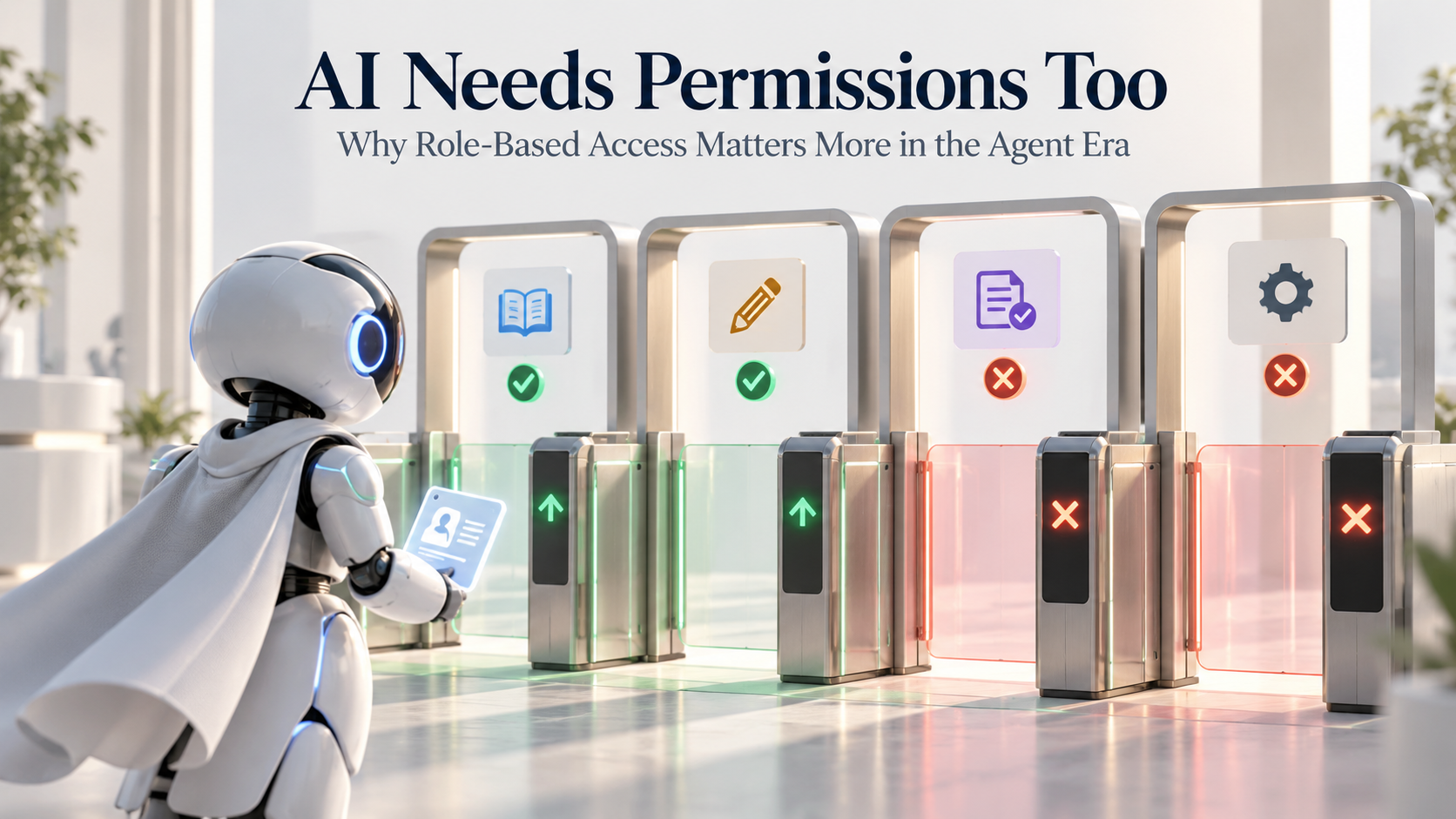
AI Needs Permissions Too: Why Role-Based Access Matters More in the Agent Era
As AI agents move from answering questions to taking action, businesses need clearer identity, permissions and approval boundaries. Learn why RBAC is becoming essential.

Dashboard Sprawl in 2026: Why More Reporting Can Make Decisions Slower
More dashboards do not always create better decisions. Learn how dashboard sprawl creates reporting friction and how to move from visibility to action.

AI Agent Sprawl Is the Next Business Software Problem: How to Stay in Control in 2026
AI agents are multiplying across business workflows. Learn how to recognise agent sprawl and create clearer ownership, permissions, data and human oversight.