Client Data: The Hidden Productivity Killer and How CRM Solves It
Discover how CRM systems can transform client data into a productivity powerhouse for your business
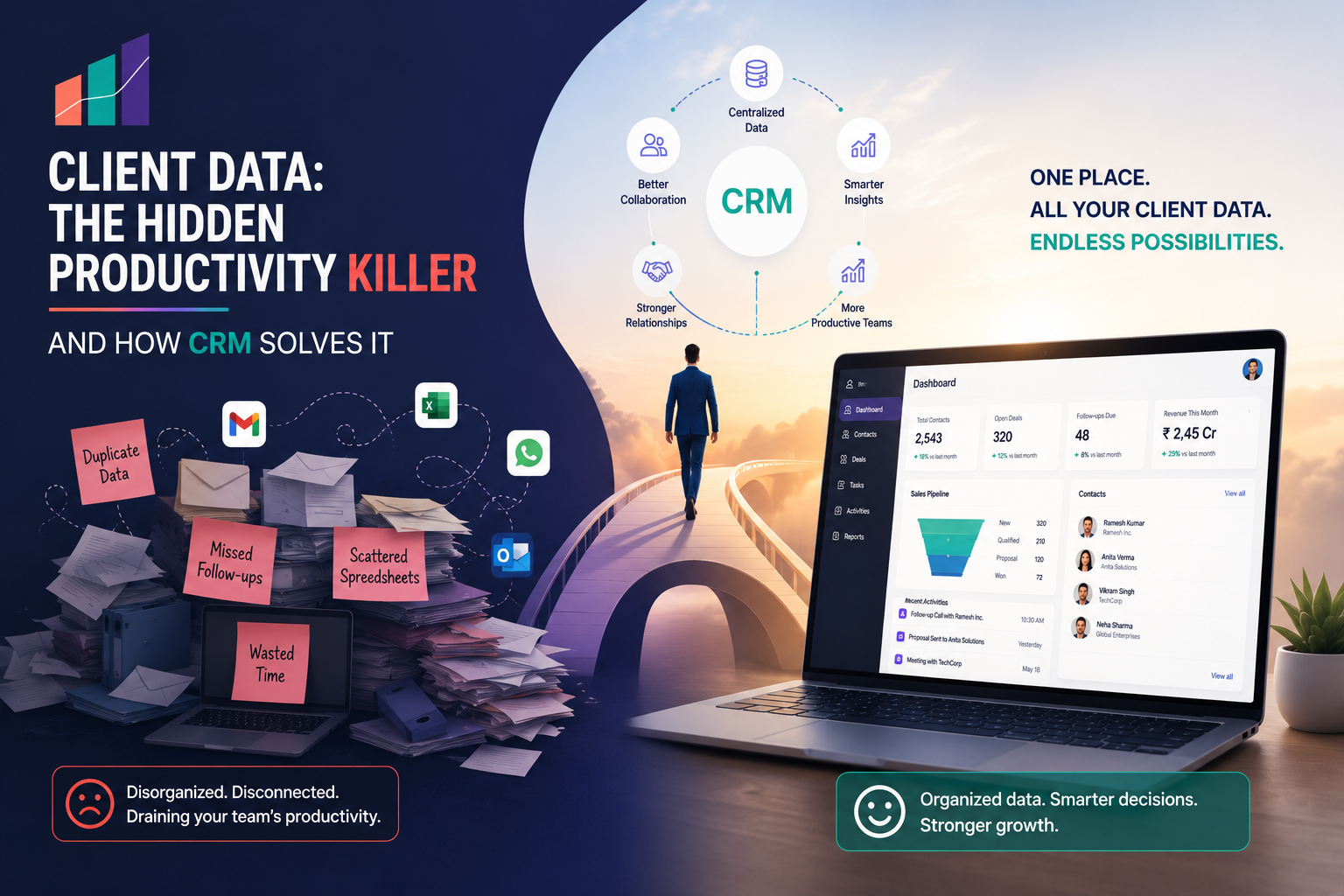
Imagine spending hours searching through spreadsheets, emails, and notes just to find important client information. This scenario is all too common for many business owners and can significantly impact productivity. Disorganized client data not only wastes time but also hampers the ability to deliver timely and effective customer service. Fortunately, implementing a CRM system can transform this disorganization into a more streamlined process.
In short
Disorganized client data can severely impact productivity by causing delays and errors in customer interactions. A CRM (Customer Relationship Management) system centralizes all client information, making it easily accessible and manageable. This centralization allows businesses to enhance productivity and improve customer satisfaction.
Understanding Disorganized Client Data
Disorganized client data refers to the dispersion of customer information across various platforms and formats. This might include details stored in emails, spreadsheets, different software applications, or even paper notes. While each of these methods can hold valuable information, the lack of integration creates a fragmented picture that can lead to inefficiencies.
Time-consuming searches: Employees may spend substantial time locating information, reducing the time available for productive s.
Inaccurate data: Disparate data sources increase the chances of outdated or incorrect information being used.
Poor customer service: Without a complete view of the customer, service quality suffers, leading to dissatisfaction.
The Role of CRM in Solving Disorganized Client Data
A CRM system is designed to centralize client data, providing a single source of truth for all customer interactions. This consolidation is crucial for businesses looking to enhance operations and improve customer relations.
Centralized Information: All client data is stored in one location, ensuring easy access for all team members.
Improved Communication: With a comprehensive view of customer interactions, businesses can tailor communications effectively.
Enhanced Productivity: Employees spend less time searching for information and more time on value-added activities.
Data Accuracy: Regular updates and maintenance within the CRM ensure data remains current and correct.
Implementing a CRM: Steps to Success
Transitioning to a CRM system may seem daunting, but with a structured approach, it can be seamlessly integrated into your business operations.
Identify Needs: Determine what features and functionalities are critical for your business.
Select the Right CRM: Choose a CRM that aligns with your business goals and offers scalability.
Data Migration: Plan a robust strategy for migrating existing data into the new system, ensuring minimal disruption.
Train Your Team: Provide comprehensive training to ensure that all users can utilize the CRM effectively.
Monitor and Optimize: Regularly review CRM usage and make necessary adjustments to improve performance and outcomes.
Benefits of Using TrueValue Platform for CRM
TrueValue Platform offers a CRM solution that not only centralizes client information but also integrates with other business functions for connected workflows and consistent data visibility. Here are some of the key benefits:
Connected Workflows: Seamless integration with other TrueValue Platform services such as finance, inventory, and HR.
Consistent Data Visibility: Real-time updates and synchronization across all platforms ensure that data is always up-to-date.
Custom Integration Endpoints: Automated processes reduce data entry and increase efficiency.
Common Mistakes When Managing Client Data
Many businesses make mistakes when handling client data, which can lead to inefficiencies and errors. Here’s how to avoid them:
Mistake | Why it hurts | How to avoid |
|---|---|---|
Not using a CRM | Leads to data fragmentation and inefficiency | Implement a CRM to centralize data |
Inconsistent data entry | Results in inaccurate and unreliable information | Establish standardized data entry protocols |
Ignoring data maintenance | Outdated information can mislead decision-making | Regularly update and audit data |
FAQ
What is disorganized client data?
Disorganized client data refers to customer information that is spread across different systems and formats, leading to inefficiencies and potential errors in business operations.
How does CRM help with disorganized client data?
CRM systems centralize client information, making it easily accessible and manageable. This helps eliminate inefficiencies caused by data and improves customer service.
What are the benefits of using TrueValue Platform's CRM?
TrueValue Platform's CRM offers connected workflows, consistent data visibility, and automated custom integration endpoints, which enhance productivity and accuracy.
How can I avoid common mistakes in managing client data?
To avoid common pitfalls, implement a CRM, establish data entry standards, and regularly update and audit your data.
Why is consistent data visibility important?
Consistent data visibility ensures that all team members have access to the most current and accurate information, which is crucial for making informed business decisions.
Ready to enhance your client data management? Join Early Access to TrueValue Platform's CRM solution and transform your business operations today.
Practical Checklist for CRM Implementation
Implementing a CRM system requires a well-thought-out plan to ensure a smooth transition and maximum benefits. Here’s a practical checklist to guide you through the process:
Define Objectives: Clearly outline what you aim to achieve with your CRM implementation.
Assemble a Team: Gather a cross-functional team that includes IT, sales, and customer service representatives.
Assess Current Data: Evaluate the current state of your client data and identify any gaps or inconsistencies.
Plan Data Migration: Develop a detailed plan for transferring data into the CRM, including timelines and responsibilities.
Customize CRM Features: Tailor the CRM system to fit your business processes and requirements.
Conduct Training Sessions: Organize training sessions to ensure all users are comfortable with the new system.
Establish Data Entry Protocols: Define standardized procedures for data entry to maintain data integrity.
Monitor Usage: Continuously monitor CRM usage and gather feedback to identify areas for improvement.
Common Pitfalls in CRM Implementation
While implementing a CRM can transform business operations, avoiding common pitfalls is crucial for success:
Underestimating Training Needs: Inadequate training can lead to poor adoption rates and user resistance.
Lack of Clear Goals: Implementing a CRM without clear objectives can result in wasted resources and effort.
Neglecting Data Quality: Poor data management practices can undermine the effectiveness of the CRM system.
Overcomplicating the System: Customizing the CRM with too many features can make it cumbersome and difficult to use.
Ignoring User Feedback: Failing to incorporate user feedback can lead to dissatisfaction and reduced system usage.
Document Checklist for CRM Transition
Ensure a seamless CRM transition by preparing the following documents:
Data Inventory: A comprehensive list of all data sources and types to be migrated.
Migration Plan: A detailed strategy outlining the migration process, including timelines and responsibilities.
Training Materials: User s, guides, and training session materials for onboarding employees.
Customization Requirements: Documentation of any specific customizations needed for your business processes.
Standard Operating Procedures: Defined protocols for data entry and management within the CRM.
CRM Implementation Timeline
Establishing a timeline is critical for successful CRM implementation. Below is a suggested timeline to guide the process:
Week 1-2: Define objectives and assemble the implementation team.
Week 3-4: Assess current data and finalize the CRM selection.
Week 5-6: Develop a data migration plan and begin initial setup.
Week 7-8: Customize CRM features and conduct user training sessions.
Week 9: Execute data migration and perform system testing.
Week 10: Launch the CRM system and start post-implementation monitoring.
Comparison Table: CRM Features and Benefits
Feature | Benefit | TrueValue Platform | Competitor A | Competitor B |
|---|---|---|---|---|
Centralized Data | Reduces data fragmentation | ✔ | ✔ | ✔ |
Customization Options | Adapts to business needs | High | Medium | Low |
Integration Capabilities | Enhances workflow efficiency | ✔ | Limited | ✔ |
Real-time Updates | Ensures data accuracy | ✔ | ✔ | Limited |
Additional FAQ
How long does it take to implement a CRM system?
The timeline for implementing a CRM system varies depending on the size and complexity of the business, but typically ranges from 8 to 12 weeks.
Can a CRM be customized for specific industries?
Yes, most CRM systems offer customization options to cater to the unique needs of different industries, enhancing their applicability and effectiveness.
Related Articles & Insights
Continue exploring connected workflows, product playbooks, and strategic guides.

AI Agents Are Everywhere. But Is Your Customer Data Ready for Them?
AI agents depend on the customer information behind them. Learn how data quality, CRM structure and connected customer context can prepare businesses for AI.

A Full CRM Is Not a Clear CRM: 4 Details That Keep Follow-Ups Moving
A CRM can hold plenty of customer data and still be difficult to act on. Learn how four simple details can make deal ownership, reviews and follow-ups clearer.

They Replied to Your WhatsApp Campaign. Where Did the Lead Go?
Learn why WhatsApp campaign replies get lost, what information a lead-capture workflow should preserve and how Marketing and CRM can support clearer follow-up.