Visitors Are Coming, but They Are Not Contacting You: What Could Be Going Wrong?
Learn why website visitors leave without making an enquiry and how clearer content, FAQs, chat and lead capture can support more business conversations.
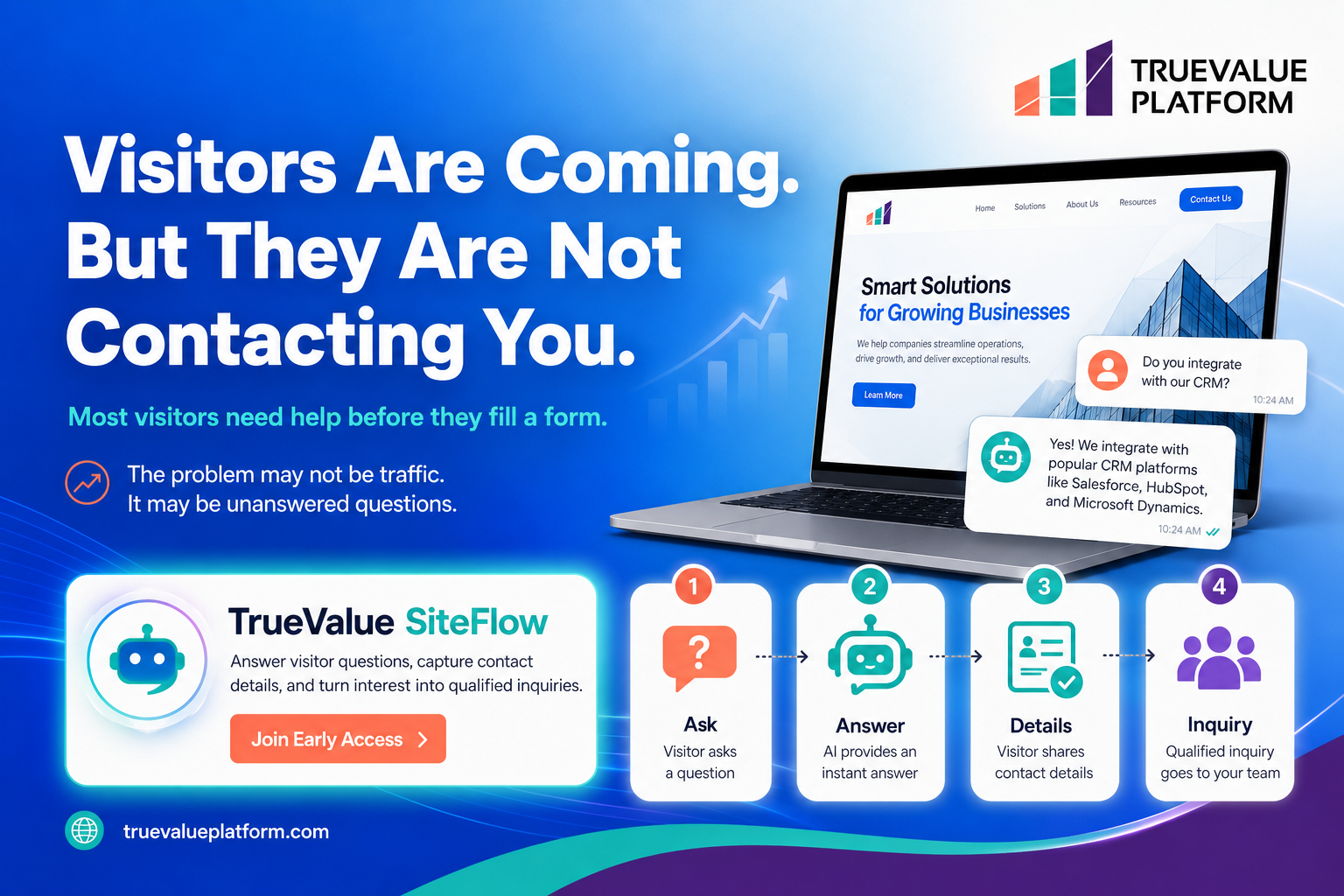
Your website may be receiving attention.
People are visiting your pages, reading aboutyour services and exploring what your business offers. However, many of them may leave without completing a form, booking an appointment or contacting your team.
When this happens, it is easy to assume that the website needs more traffic.
But traffic may not be the main problem.
The real issue could be that visitors still have unanswered questions when they reach the point where they are expected to take action.
They may not understand whether your service is suitable for them. They may be unsure about how the process works. They may not know what will happen after they submit their details.
When visitors cannot find clear answers, they often leave instead of contacting the business.
A better website experience helps visitors understand their options, find relevant information and take the next step with greater confidence.
Why Website Traffic Does Not Always Generate Enquiries
Website traffic is important, but visitor numbers alone do not create business opportunities.
A visitor must move through several stages before becoming an enquiry.
They first need to understand what the business offers. They then need to decide whether the Product or service may be relevant to their needs. Finally, they need a clear and convenient way to contact the business.
Any uncertainty during this journey can prevent action.
For example, a visitor may reach a service page and still wonder:
Is this service suitable for my business?
How does the process work?
What information will I need to provide?
Can I speak with someone before making a decision?
What should I do next?
How long will it take to receive a response?
A website may look professional and still fail to answer these practical questions.
This creates a gap between attracting attention and generating enquiries.
Most Visitors Need Information Before They Complete a Form
A contact form usually appears near the end of the visitor journey.
Before reaching that point, the visitor needs enough information to decide whether contacting the business is worthwhile.
Many websites ask visitors to submit their details too early. They include a strong call to action but provide limited information about what the visitor can expect.
This can make the contact form feel like a commitment rather than a helpful next step.
Visitors are more likely to complete a form when the website has already addressed their main concerns.
Useful information may include:
A clear explanation of the service
Who the service is designed for
Common use cases
The steps involved
What happens after an enquiry
Frequently asked questions
Contact and appointment options
Relevant supporting resources
The purpose is not to place every possible detail on one page. It is to give visitors enough clarity to continue their journey.
Unanswered Questions Create Conversion Friction
Conversion friction is anything that makes it more difficult for a visitor to take action.
It may be caused by a long form, confusing navigation, unclear language or missing information.
Unanswered questions are another common source of friction.
Imagine that a visitor is interested in your service but cannot find out whether it supports their particular requirement. They now have several choices.
They can search through more pages, submit a form without knowing whether the service is relevant, contact your team through another channel or leave the website.
Many visitors will choose the easiest option, which may be leaving.
The website should therefore help people find useful answers while their interest is still active.
This can be supported through clear page content, structured FAQs, website search, chat and well-designed enquiry forms.
How Clear Website Content Supports Better Enquiries
Good website content does more than describe a business.
It helps visitors evaluate whether the business can support their needs.
Every important service or Product page should answer a defined set of questions.
What does the business provide?
Visitors should be able to understand the offer without interpreting complex or vague language.
Who is it for?
The content should help the reader identify whether the service is relevant to their type of business or requirement.
What problem does it address?
Explain the practical situation the service is designed to support without making exaggerated promises.
How does the process work?
A short overview of the next steps can reduce uncertainty.
What should the visitor do next?
The page should end with a relevant action, such as requesting information, joining Early Access or booking a demonstration.
When these questions are answered clearly, the visitor is better prepared to begin a conversation.
Use FAQs to Answer Common Visitor Questions
Frequently asked questions can remove uncertainty before it becomes a reason to leave.
An FAQ section is particularly useful when visitors regularly ask the same questions through calls, emails or forms.
Businesses can use those real enquiries to improve website content.
For example, an FAQ section may explain:
How a service works
Who can use it
What information is needed
Whether a demonstration is available
How to contact the correct team
What happens after submitting an enquiry
FAQs should use simple language and direct answers.
They should also be updated when Products, services or processes change. An outdated answer may create more confusion than having no answer at all.
Well-organised FAQs can support visitors who prefer to find information independently while allowing the business team to focus on more specific enquiries.
Give Visitors a Way to Ask Questions
Some visitors will have questions that are not covered on the page.
A website chat channel can give them another way to continue the conversation without leaving the website.
Chat may help visitors:
Find relevant website information
Navigate to the correct Product or service page
Ask a common question
Understand the next step
Share contact information
Submit an enquiry for team follow-up
The goal is not to replace the business team.
Instead, chat can help visitors reach the right information and provide useful context before a team member follows up.
Any automated or AI-assisted responses must be based on approved information and reviewed carefully for accuracy.
AI capabilities are planned within the TrueValue Platform Product ecosystem. Availability will be communicated after the required Product and Development approval.
Turn Visitor Questions into Structured Enquiries
A visitor question can provide valuable information about their needs.
For example, instead of receiving only a name and email address, a business may learn:
Which Product or service the visitor is interested in
What problem they are trying to address
Which page they were viewing
What information they could not find
Whether they want a demonstration or general information
This context can help the team prepare for follow-up.
A simple visitor journey may look like this:
The visitor asks a question.
The website provides relevant information or directs the visitor to an appropriate page.
The visitor receives a useful answer.
They gain a clearer understanding of the Product, service or next step.
The visitor shares contact details.
Only the information needed for follow-up should be requested.
The business receives the enquiry.
The team can review the visitor’s question and respond with more context.
This creates a more useful handover than a form submission with little or no explanation.
Keep Lead Capture Forms Simple
Even after answering a visitor’s questions, a complicated form can prevent them from completing the enquiry.
Lead capture forms should ask only for the information needed at that stage.
A first-contact form may include:
Name
Business email address
Company name
Area of interest
Message or question
Additional details can be collected during the follow-up conversation where appropriate.
Forms should also include:
Clear field labels
A visible submission button
A short explanation of what happens next
A confirmation after submission
Mobile-friendly formatting
Appropriate privacy information
The easier the form is to understand, the easier it becomes for an interested visitor to take the next step.
Make the Call to Action Match the Visitor’s Intent
Not every visitor is ready for the same action.
Someone reading an introductory blog may want to explore more information. Someone reviewing a Product page may be ready to request a demonstration.
Calls to action should match the page and the visitor’s likely stage of interest.
Examples may include:
Learn More
Explore Site Flow
Join Early Access
Request a Demo
Contact the Team
Avoid placing several competing calls to action in the same section.
One clear primary action usually creates a more focused journey.
For TrueValue Platform website content, the approved primary call to action is Join Early Access, while Request a Demo may be used as the secondary action.
Review the Complete Visitor Journey
Improving website enquiries is not only about adding chat or changing a form.
The complete visitor journey should be reviewed.
Start by asking:
Can visitors quickly understand what the business offers?
Are important questions answered on the relevant pages?
Is navigation clear?
Are FAQs easy to find?
Is there a suitable way to ask for help?
Does the contact form request only necessary information?
Is the next step explained clearly?
Does the enquiry reach the right team?
Can the team understand what the visitor needs?
Website analytics and enquiry records can also reveal where visitors may be experiencing difficulty.
For example, a page with regular traffic but few enquiries may need clearer content, stronger calls to action or more useful supporting information.
How Site Flow Supports Website Conversations
Site Flow is an Early Access Product within the TrueValue Platform Product ecosystem.
It helps businesses manage website forms, submissions, blogs, testimonials, FAQs, newsletters, chatbot conversations, analytics, SEO tools and public website workflows.
These capabilities can help businesses organise the information and interaction points that support visitor journeys.
Rather than treating forms, FAQs, website content and conversations as separate activities, Site Flow provides a structured way to manage them within one Product.
Planned AI capabilities may further support how visitors find approved information through website chat. These capabilities must not be described as live or generally available until the appropriate release wording is approved.
Your Visitors Already Have Questions
Visitors do not always leave because they are uninterested.
They may leave because they cannot find the information needed to make a decision.
A website that answers common questions, provides clear next steps and offers a simple way to contact the business can support more productive conversations.
Start by reviewing the questions your sales and support teams receive most often.
Then check whether those answers are available on the website at the right stage of the visitor journey.
The goal is not to pressure every visitor into submitting a form.
It is to reduce unnecessary uncertainty and make it easier for genuinely interested visitors to continue the conversation.
Site Flow can help businesses manage website content, enquiries, FAQs and chatbot conversations within the connected TrueValue Platform Product ecosystem.
Join Early Access to explore Site Flow.
Request a Demo to learn more about TrueValue Platform.
Frequently Asked Questions
Why are website visitors leaving without contacting the business?
Visitors may leave when they cannot understand the offer, find answers to important questions or identify a clear next step. Website speed, navigation and complicated forms may also affect their decision.
Can FAQs help generate website enquiries?
FAQs can help visitors resolve common concerns and understand whether a Product or service is relevant. This may help interested visitors feel more prepared to make an enquiry.
What information should a lead capture form request?
A first-contact form should normally request only the information required for an initial response, such as the visitor’s name, business email address, company, area of interest and question.
How can website chat support lead generation?
Website chat can help visitors find relevant information, ask questions and share contact details for follow-up. The exact capability depends on the Product and implementation.
Should every website use an AI chatbot?
Not necessarily. A business should first determine whether chat supports a genuine visitor need. Any AI-assisted experience should use approved information and include appropriate controls for accuracy.
What is Site Flow?
Site Flow is an Early Access Product within TrueValue Platform. It helps businesses manage website forms, submissions, blogs, testimonials, FAQs, newsletters, chatbot conversations, analytics, SEO tools and public website workflows